


WIMS offers a powerful user group creation feature that allows administrators to manage permissions and access controls efficiently. By grouping users based on roles, departments, or project teams, you can streamline operations and ensure that everyone has the appropriate access to the resources they need.
Step-by-Step Guide to Creating a User Group
Step 1: Access the User Management Module
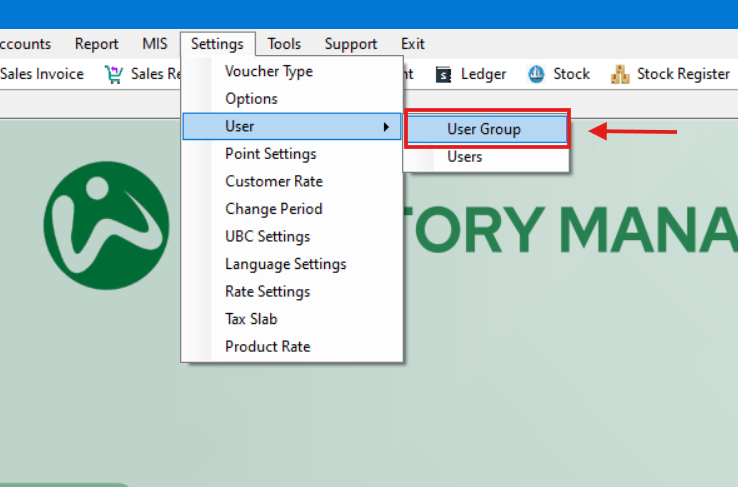
- Log in as an administrator and navigate to the User Group section of the WIMS.
Navigation: Settings -> User -> User Groups
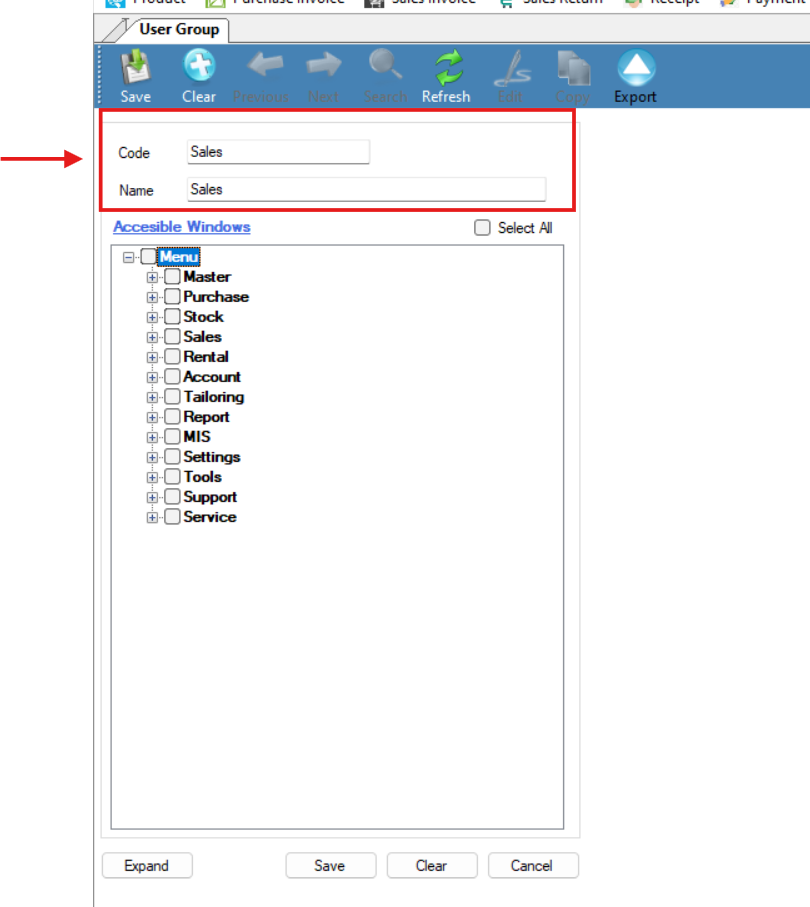
Step 2: Define Group Details
- Mention Group Name and Code.
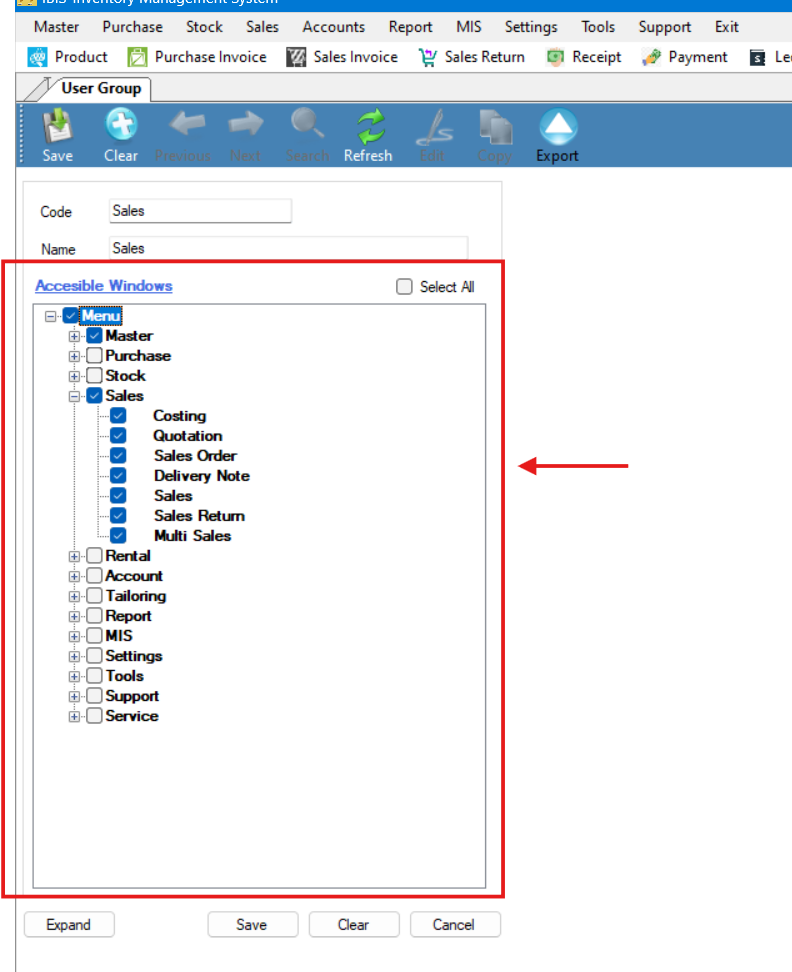
Step 3: Assign Permissions
- Assign required Menu Rights for the specified Group by checking the respective boxes.
Step 4: Save and Apply Settings
- Save the new user group. The group settings and permissions will be applied.